

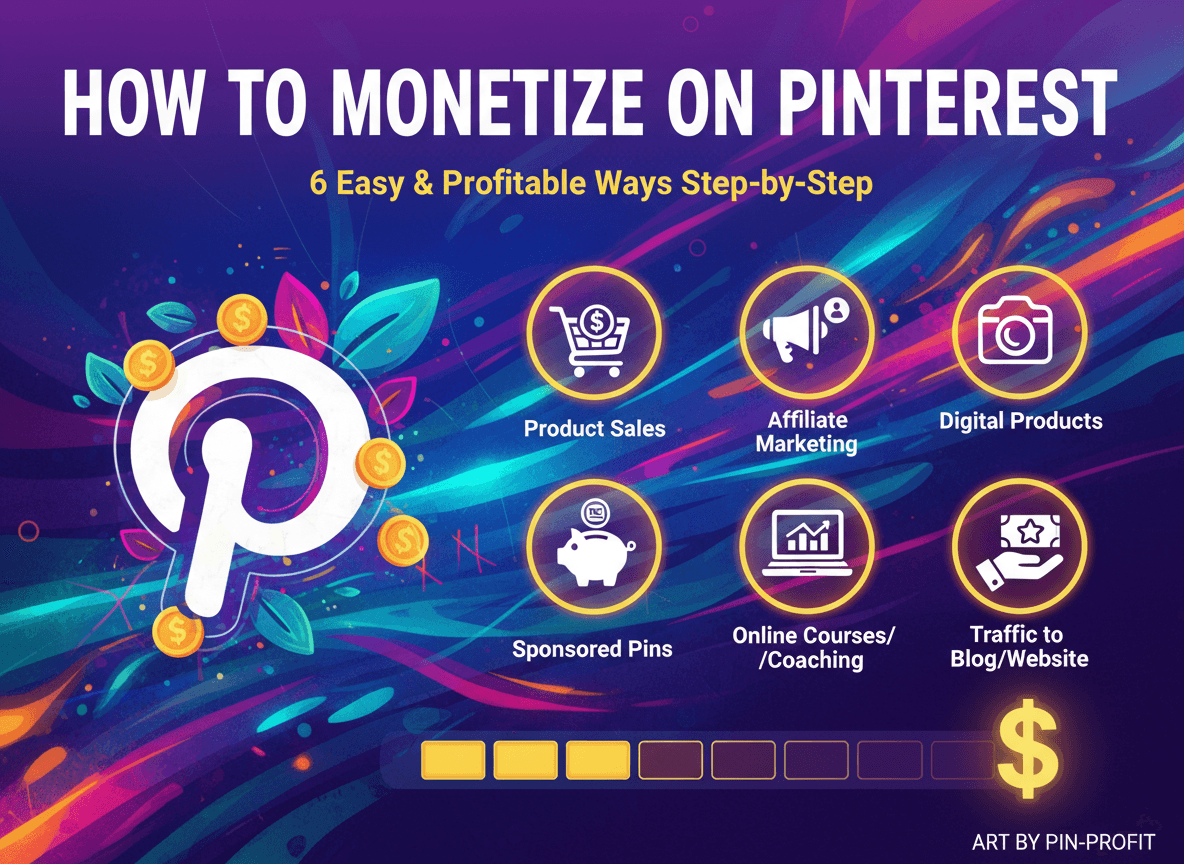
Making money on Pinterest is not just a dream; it is a very real possibility for many. Pinterest stands out as a unique platform, often described as a visual search engine rather than a traditional social media site. People use Pinterest to find inspiration, plan purchases, and discover new ideas. This high user intent creates a rich environment for you to generate income.
This guide will walk you through six easy and profitable ways to monetize Pinterest, providing clear, step by step instructions for each method. You will discover how to transform your Pinterest presence into a consistent income stream.
Why Pinterest is a Powerful Platform for Monetization
Before diving into the specific strategies, understanding why Pinterest is so effective for earning money will give you a significant advantage. Pinterest’s distinct characteristics make it an ideal space for various monetization efforts.
First, users come to Pinterest with an intent to act. They are looking for recipes, outfit ideas, home decor, travel plans, and products to buy. This proactive search behavior means your content reaches an audience already open to discovery and potential purchase. Unlike other platforms where content scrolls by quickly, pins have a long shelf life. A well optimized pin can continue driving traffic and sales for months or even years after it is published, providing evergreen value.
Second, Pinterest is a visual search engine. Its algorithm prioritizes high quality images and videos, making it an excellent platform for businesses and creators with visually appealing products or content. The platform's rich visual format allows you to showcase your offerings in an inspiring and engaging way.
Finally, Pinterest’s demographics often include a significant percentage of users who are decision makers and shoppers. Many users have disposable income and are actively planning purchases. This audience is highly receptive to curated content and product recommendations, setting the stage for successful monetization.
Getting Started: Your Pinterest Foundation for Earning
To maximize your earning potential on Pinterest, you need a solid foundation. Setting up your account correctly from the beginning will ensure you are ready to implement monetization strategies effectively.
1. Switch to a Business Account: This is your first crucial step. A business account gives you access to vital analytics, which show you how your pins are performing, who your audience is, and what content resonates most. You also get access to Pinterest Ads, Rich Pins, and other business specific features. Switching is free and simple; go to your profile settings and select "Convert to business account" or "Add a new business account."
2. Optimize Your Profile: Your profile is your storefront. Make sure your business name is clear, professional, and includes relevant keywords if possible. Your profile description should tell visitors what you offer and what value they can expect from your content. Use keywords here too. Include a clear call to action and a link to your website. A professional profile picture or logo completes the look.
3. Claim Your Website: Claiming your website on Pinterest is essential for several monetization methods. It verifies that you own the website you are linking to, gives you attribution for pins saved from your site, and provides website analytics. This step builds trust and enhances your professional credibility.
4. Create Relevant Boards: Boards are where you organize your pins. Create boards that are highly relevant to your niche and target audience. Use keyword rich titles and descriptions for each board. For example, if you sell handmade jewelry, you might have boards like "Bohemian Jewelry Style," "Unique Gift Ideas for Her," or "DIY Jewelry Making Tips." Populate these boards with a mix of your own pins and high quality, relevant pins from others to establish your authority and provide value.
With your foundation set, you are ready to dive into the profitable world of Pinterest monetization.
1. Affiliate Marketing on Pinterest: Your Guide to Earning Commissions
Affiliate marketing involves promoting products or services from other companies and earning a commission for every sale or lead generated through your unique affiliate link. Pinterest is an exceptionally strong platform for affiliate marketing due to its visual nature and user intent. People often search for product ideas, reviews, and gift guides, making them receptive to recommendations.
Why Pinterest Excels for Affiliate Marketing
Imagine someone searching for "best hiking gear." If you have a pin showcasing a high quality hiking backpack with your affiliate link, that user is already in a buying mindset. Pinterest allows you to visually display products, demonstrate their use, and directly guide users to purchase pages, often bypassing the need for a blog post middleman (though a blog post can enhance conversion). The platform’s search functionality also ensures your product pins reach people actively looking for what you promote.
Step by Step: Implementing Affiliate Marketing
Step 1: Find Suitable Affiliate Programs Your first task is to identify affiliate programs that align with your niche and audience. Look for products you genuinely believe in and would recommend. Popular choices include:
- Amazon Associates: A vast marketplace with millions of products. Be aware of their rules regarding direct linking on Pinterest; sometimes a blog post bridge is required.
- ShareASale, CJ Affiliate, Rakuten Advertising: These are large affiliate networks hosting thousands of brands across various niches, from fashion and home goods to software and services.
- Individual Brand Programs: Many companies have their own affiliate programs. Check the websites of your favorite brands for "Affiliate Program" or "Partnership" links.
Step 2: Read Program Rules Carefully This is critical. Some affiliate programs have strict rules about where and how you can share links. For example, Amazon Associates historically did not allow direct linking from social media platforms like Pinterest. Always verify whether direct Pinterest linking is permitted. If not, you will need to link to a blog post on your website that then contains the affiliate links. This not only complies with rules but also adds value and often improves conversion rates.
Step 3: Create Compelling Product Pins Your pins are your storefront. Design them to be highly appealing and informative.
- High quality images or videos: Use clear, well lit images that showcase the product beautifully. Lifestyle shots where the product is in use often perform better than simple product shots. Short, engaging videos demonstrating the product’s features are also very effective.
- Detailed descriptions with keywords: Write pin descriptions that highlight the product’s benefits and features. Naturally include relevant keywords that your target audience might use when searching. For instance, for a kitchen gadget, include phrases like "easy meal prep," "time saving kitchen tool," or "healthy cooking appliance."
- Clear call to action: Tell people what to do. Use phrases like "Shop Now," "Learn More," "Get Yours Today," or "Check Price."
- Disclosure: Always disclose your affiliate relationship clearly. This is a legal requirement in many regions (e.g., FTC guidelines in the US). Add "#ad," "#affiliate," or "#sponsored" to your pin description.
Step 4: Implement Your Linking Strategy
- Direct Affiliate Links (if allowed): If the program permits, you can directly link your pin to the product page using your affiliate URL.
- Via a Blog Post or Landing Page: This is often the safest and most effective method. Create a blog post reviewing the product, comparing it to others, or demonstrating how to use it. This adds value, allows for more comprehensive information, and builds trust. Your pin then links to this blog post, which contains your affiliate links. This also gives you an opportunity to capture email addresses and build an audience.
Step 5: Track and Optimize Use your Pinterest analytics and your affiliate dashboard to see which pins and products are performing best. Identify trends, popular products, and effective pin designs. Continuously test different images, descriptions, and calls to action to improve your results.
Tips for Success with Affiliate Marketing
- Niche Down: Focus on a specific niche. This allows you to become an authority and attract a highly targeted audience.
- Evergreen Content: Create pins for products that are always in demand, not just seasonal items.
- Group Boards (use strategically): While their effectiveness has shifted, joining relevant, high quality group boards can still extend your reach. However, focus more on creating your own strong boards.
- Consider a Resource Page: On your website, create a dedicated "Resources" page listing all your recommended products with affiliate links. You can then direct Pinterest users to this page.
- AI for Content and Visuals: Need ideas for product reviews or engaging descriptions? AI prompt generators can help. For stunning visuals that make your products stand out, consider using image generators. You can find many free AI tools for content and image generation at AISuperHub.io, which can significantly enhance your affiliate marketing efforts by helping you create captivating pins and supporting blog content efficiently.
2. Driving Traffic to Your Blog or Website for Ad Revenue and Product Sales
One of the most sustainable ways to monetize Pinterest is by using it as a powerful traffic driver to your own website or blog. Once visitors are on your site, you can monetize them through various methods, including display advertising, selling your own products or services, or building an email list.
Why Pinterest Excels for Website Traffic
Pinterest users are actively looking for information, inspiration, and solutions. When you create visually appealing pins that link directly to your high quality blog posts, tutorials, or product pages, you are meeting this demand. Unlike search engines that require highly specific keyword matches, Pinterest's visual discovery engine allows users to stumble upon your content even if they weren't searching for your exact keywords, as long as the visuals appeal to them and the descriptions are relevant. The long lifespan of pins means a single successful pin can bring consistent traffic for months or years.
Step by Step: Driving Traffic for Monetization
Step 1: Create High Value Blog Content Before you can drive traffic, you need something valuable to offer. Develop in depth blog posts, comprehensive guides, insightful reviews, or engaging tutorials that solve a problem or provide significant value to your target audience. The more useful your content, the more likely visitors are to stay on your site, explore more, and ultimately convert.
Step 2: Design Multiple Pins for Each Blog Post Do not create just one pin per blog post. Create several!
- Varying visuals and titles: Design 3 to 5 different pins for each piece of content. Use different images, graphic elements, fonts, and titles. This allows you to appeal to a wider range of preferences and test what works best.
- A/B test different pin designs: Pinterest analytics will show you which pins are generating the most clicks. Pay attention to image styles, color palettes, text overlays, and calls to action that perform well.
- Pin sizing: Use the recommended vertical pin dimensions (e.g., 2:3 aspect ratio, like 1000x1500 pixels) for optimal visibility.
Step 3: Optimize Pins for Pinterest SEO Just like Google, Pinterest uses keywords to understand and distribute content.
- Keywords in pin titles and descriptions: Research relevant keywords your audience uses. Include these keywords naturally in your pin titles and the first few sentences of your pin descriptions.
- Keywords in board names and descriptions: Ensure the boards you are pinning to also have keyword rich titles and descriptions. This provides context to Pinterest about your content.
- Rich Pins setup: Enable Rich Pins for your website. Rich Pins automatically pull additional information from your website (like article titles, authors, or product prices) directly onto your pin, making it more informative and appealing. This is especially useful for blog posts and product pages.
Step 4: Pin Consistently and Strategically Consistency is key on Pinterest. Develop a pinning schedule that works for you.
- Manual pinning vs. schedulers: You can pin manually or use a scheduling tool (like Tailwind or Later). Scheduling tools can save time and help you maintain a consistent presence.
- Mix of content: Pin a mix of your own content and relevant, high quality content from others in your niche. This shows Pinterest you are an active and valuable contributor to the community.
- Repin your own content: Don’t be afraid to repin your older, well performing pins to new, relevant boards.
Step 5: Analyze Traffic and Adjust Strategy Regularly check your Pinterest analytics and your website analytics (e.g., Google Analytics).
- Identify top performing pins: Which pins bring the most clicks? What do they have in common?
- Understand audience behavior: What content keeps people on your site longer? Which pages do they visit after landing from Pinterest?
- Optimize low performing pins: Revamp pins that are not getting traction. Change the image, title, or description.
Monetization Avenues Once Traffic Arrives
Once you successfully drive traffic to your website, you have several ways to earn:
- Ad Revenue: Join an ad network (e.g., Mediavine, AdThrive, Ezoic for larger sites, or Google AdSense for beginners) to display ads on your blog posts. More traffic means more ad impressions and higher earnings.
- Selling Your Own Digital or Physical Products: Use the traffic to promote and sell your own creations directly. This often yields higher profit margins than affiliate sales.
- Email List Building: Offer a valuable freebie (lead magnet) in exchange for email addresses. Your email list is a powerful asset for direct marketing, product launches, and building a loyal audience.
- Affiliate Sales (secondary): While Pinterest can directly support affiliate sales, driving traffic to review posts on your blog can also significantly boost these earnings.
AI Connection for Content Creation
Creating high quality, engaging blog content consistently can be demanding. This is where AI tools become invaluable. For example, AISuperHub.io offers:
- Blog post idea generators: Never run out of relevant topics your audience wants to read.
- Prompt generators: Get expert crafted prompts to help you outline articles, draft sections, or even write entire posts, saving you significant time.
- SEO optimization tools: Ensure your content is keyword rich and structured for search engines, maximizing its visibility on both Google and Pinterest.
By using these tools, you can produce more high quality content, drive more traffic from Pinterest, and consequently increase your overall earnings.
3. Selling Your Own Digital Products: Ebooks, Courses, and Templates
Selling your own digital products is a highly profitable monetization strategy because it offers high profit margins, as there is no physical inventory or shipping involved. Pinterest is a perfect platform for promoting these products, given its visual nature and the audience's intent to find solutions and inspiration. Think about people searching for "meal prep ideas," "social media templates," or "how to start a side hustle." Your digital products can directly answer these needs.
Why Pinterest Excels for Digital Product Sales
Pinterest provides a visually rich environment to showcase the benefits and features of your digital products. You can use appealing graphics, mockups, and demonstrations to convey the value of an ebook, the transformation a course offers, or the ease of using a template. Users on Pinterest are often looking for resources and tools to improve their lives, skills, or businesses, making them highly receptive to well presented digital offerings. The direct linking capability allows for a streamlined path from pin to purchase.
Step by Step: Selling Your Digital Products
Step 1: Identify a Need and Create Your Product Before you can sell, you need a product that addresses a specific need or solves a problem for your target audience.
- Market research: What questions does your audience frequently ask? What challenges do they face?
- Product idea: This could be an ebook (e.g., a guide to mastering a skill), an online course (e.g., teaching a software program), templates (e.g., social media post templates, resume templates, budget spreadsheets), presets (e.g., for photo editing), or printables (e.g., planners, worksheets).
- Product creation: Develop your product, ensuring it is high quality and provides genuine value.
Step 2: Set Up an E commerce Platform You need a place for customers to purchase your digital product.
- Your own website: Using platforms like Shopify, WooCommerce (for WordPress), or even simple landing page builders with integrated payment gateways (like Gumroad) gives you full control.
- Marketplaces: Platforms like Etsy are excellent for selling digital planners, templates, and printables. Udemy or Teachable are good for online courses.
Step 3: Design Visually Appealing Pins This is where Pinterest shines for digital products. Your pins must communicate the value and appearance of something intangible.
- Mockups: Create mockups that show your ebook cover on a tablet, a course interface, or a template filled with content. This helps users visualize the product.
- Benefit oriented visuals: Instead of just showing the product, show what it does for the user. For a budgeting template, show a graphic of someone saving money. For a course, show a graphic representing new skills acquired.
- Testimonials (if available): Incorporate snippets of positive reviews into your pin design.
- Clear call to action: "Get the Ebook," "Enroll in Course," "Download Template Now."
Step 4: Link Pins Directly to Product Pages Ensure your pins link directly to the sales page or product listing where customers can learn more and make a purchase. Reduce friction in the buying process. For courses or high value items, you might link to a dedicated sales funnel with more information and testimonials.
Step 5: Promote with Idea Pins for Tutorials or Demonstrations Idea Pins, which are multi page video or image pins, are fantastic for demonstrating how your digital product works or providing a mini tutorial related to its content. For example, you could create an Idea Pin showing a quick tip from your ebook, or a short demo of how to customize one of your templates. At the end of the Idea Pin, use the "Product Tagging" feature to link directly to your digital product.
Tips for Success with Digital Products
- Strong Visuals are Non Negotiable: Invest time in creating professional graphics and mockups. This is crucial for selling something that isn't physical.
- Clear Value Proposition: Your pins and product descriptions must clearly articulate the problem your product solves and the benefits it provides.
- Customer Testimonials: Once you have customers, collect testimonials and integrate them into your marketing.
- Bundle Products: Offer complementary digital products together at a slightly reduced price to increase average order value.
- Freebies as Lead Magnets: Offer a small, free digital product (e.g., a mini template, a checklist) in exchange for an email address. This helps build your audience for future product launches.
AI Connection for Product Creation and Promotion
AI tools can significantly assist in both the creation and promotion of your digital products.
- Idea Generation: If you are struggling to come up with new digital product ideas, AI prompt generators can help you brainstorm based on your niche and audience needs.
- Content Generation: For ebooks or course content, AI tools can assist with outlining, drafting sections, or even generating specific pieces of content, freeing up your time to focus on expertise and polish.
- Visual Creation: AISuperHub offers image generators that can help you create unique mockups or compelling graphics for your pins, especially if you do not have design experience. This can make your digital products look more professional and appealing without requiring expensive design software.
By leveraging AI, you can streamline the process of developing and marketing your digital offerings, making it easier to earn from your unique knowledge and skills.
4. Offering Services as a Pinterest Manager or Consultant
If you have a strong understanding of Pinterest, its algorithms, and successful strategies, you can monetize your expertise by offering your services to businesses and individuals who need help. Many companies, particularly small to medium sized businesses, recognize Pinterest's potential but lack the time or knowledge to manage it effectively themselves. This creates a significant demand for skilled Pinterest managers or consultants.
Why Pinterest Excels for Service Provision
Businesses are increasingly looking for ways to expand their online presence and drive traffic or sales. Pinterest, with its specific visual and search engine characteristics, requires a unique approach. Many business owners are overwhelmed by content creation and platform management across multiple channels. By offering your specialized Pinterest services, you provide a targeted solution to a common pain point. You can use Pinterest itself to showcase your expertise, attract clients, and demonstrate your value.
Step by Step: Becoming a Pinterest Manager or Consultant
Step 1: Build Your Own Impressive Pinterest Portfolio Your own Pinterest account is your primary resume and portfolio.
- Optimize your account: Make sure your personal or business Pinterest profile is fully optimized, professional, and showcases best practices.
- Demonstrate results: Grow your followers, board engagement, and outbound clicks. Show that you know how to get results.
- Niche specific boards: Create boards that align with the types of clients you want to attract (e.g., "E commerce Pinterest Strategy," "Blog Traffic Generation via Pinterest").
Step 2: Define Your Services Clearly outline what you offer. This helps you target the right clients and avoids scope creep.
- Pin creation: Designing visually appealing pins.
- Scheduling: Consistent posting using schedulers.
- Strategy development: Creating a tailored Pinterest marketing plan.
- Account audits: Analyzing existing accounts and providing recommendations.
- Pinterest Ads management: Setting up and optimizing paid campaigns.
- Keyword research: Identifying relevant terms for pins and boards.
Step 3: Create Pins Showcasing Your Expertise and Services Use Pinterest itself to market your services.
- "Before & After" examples: If you have permission from past clients, show how you transformed their Pinterest presence.
- Client testimonials: Create pins featuring quotes from satisfied clients.
- Educational content: Create pins with tips on Pinterest SEO, pin design best practices, or how to use Pinterest for business. These pins establish you as an authority and attract potential clients.
- Case studies: Visually present results you achieved for clients (e.g., increased traffic, higher engagement).
- Clear calls to action: "Hire a Pinterest Manager," "Book a Free Consultation," "Learn About Our Services."
Step 4: Create a Dedicated Services Page on Your Website You need a professional hub where potential clients can learn more about your offerings.
- Detailed service descriptions: Explain exactly what each service entails.
- Pricing information: Provide transparent pricing or packages.
- Portfolio/case studies: Showcase your best work.
- Testimonials: Feature strong endorsements from previous clients.
- Contact form: Make it easy for interested businesses to reach you.
- Discovery Call booking: Integrate a calendar tool for potential clients to schedule a free introductory call.
Step 5: Network and Outreach Beyond Pinterest, actively seek out clients.
- Freelance platforms: Websites like Upwork, Fiverr, or Guru are places where businesses look for freelancers.
- Social media groups: Join Facebook groups for business owners, bloggers, or e commerce entrepreneurs where you can subtly offer your expertise.
- Direct outreach: Identify businesses in your niche that could benefit from Pinterest marketing and send them personalized proposals.
Tips for Success as a Pinterest Manager
- Specialize: Instead of being a general Pinterest manager, consider specializing in a niche (e.g., Pinterest for wedding planners, Pinterest for Etsy shop owners). This makes you an expert in a specific area.
- Demonstrate Results: Focus on getting measurable results for your clients and then highlighting those successes.
- Clear Communication: Clearly communicate your process, deliverables, and what clients can expect.
- Stay Up to Date: Pinterest regularly updates its features and algorithms. Continuously educate yourself on the latest best practices.
- Offer Value First: Provide some free value (e.g., a Pinterest audit checklist, a free 15 minute consultation) to build trust and demonstrate your expertise.
AI Connection for Efficiency and Content Creation
AI tools can significantly streamline your work as a Pinterest manager or consultant, allowing you to serve more clients efficiently.
- Content Idea Generation: Use AI blog post idea generators or prompt generators from AISuperHub.io to quickly brainstorm pin ideas, board names, and descriptions for your clients. This saves you valuable time on research.
- Pin Design Assistance: While AI cannot replace a graphic designer entirely, image generators on AISuperHub.io can help create basic pin templates, background images, or unique visual elements that you can then customize for your clients. This speeds up the pin creation process.
- Writing Descriptions: AI tools can assist in drafting compelling, keyword rich pin descriptions or board descriptions, ensuring your clients' content is optimized for Pinterest SEO.
- Reporting: AI can even help summarize analytics data or draft parts of client reports, making your administrative tasks quicker.
By integrating these AI capabilities, you can offer more comprehensive services, deliver faster results, and take on more clients, greatly increasing your earning potential.
5. Leveraging Pinterest for E commerce Product Sales (Shopify, Etsy, etc.)
For businesses with physical products, Pinterest is an indispensable sales channel. It functions like a massive, visually driven catalog where users discover, save, and eventually buy products. Whether you run a Shopify store, an Etsy shop, or any other e commerce platform, Pinterest can significantly boost your sales by connecting your products with an actively shopping audience.
Why Pinterest Excels for E commerce
Pinterest users come to the platform specifically looking for products, gifts, and ideas related to purchases. They are in a browsing and buying mindset. The platform’s visual nature allows you to showcase your products in their best light, often in lifestyle settings that inspire purchases. Pinterest also offers powerful shopping features, making the path from discovery to purchase smooth and direct. The long lifespan of pins ensures your products remain discoverable long after they are posted.
Step by Step: Boosting E commerce Sales
Step 1: Set Up Your Online Store and Claim Your Website Ensure your e commerce store is fully functional and optimized for sales.
- Platform choice: Whether it is Shopify, Etsy, WooCommerce, BigCommerce, or another, make sure your product listings are clear, have high quality images, and compelling descriptions.
- Claim your website: As mentioned earlier, claim your store's domain on Pinterest. This is crucial for gaining analytics, building trust, and unlocking shopping features.
Step 2: Enable Rich Pins for Product Details Rich Pins automatically pull important product information from your website directly into your Pinterest pins.
- Product Rich Pins: These display real time pricing, availability, and a direct link to your product page. This makes your pins far more informative and trustworthy, increasing click through rates and conversions.
- Set up: Follow Pinterest's instructions to validate your site for Rich Pins. This is usually a one time setup.
Step 3: Create High Quality Product Pins Your product pins need to be irresistible.
- Lifestyle shots: Instead of plain white background photos, show your product in use, in a relevant setting, or styled beautifully. For example, if you sell home decor, show your items in a beautifully arranged living room. If you sell apparel, show models wearing your clothes.
- Video pins: Short videos (15 60 seconds) demonstrating product features, how to use the product, or simply showcasing it from different angles can be highly engaging and lead to more sales.
- Multiple angles/variations: Create pins for different product variations (colors, sizes) or different ways to style/use the product.
- Optimize titles and descriptions: Use clear, descriptive titles that include keywords users might search for (e.g., "Handmade Ceramic Mug with Gold Handle," not just "Mug"). Write detailed descriptions highlighting features, benefits, and materials.
Step 4: Utilize Pinterest Shopping Features Pinterest has invested heavily in shopping functionalities.
- Product Pins: These are standard pins linked directly to product pages.
- Shop the Look Pins: These allow you to tag multiple products within a single image, making it easy for users to find and buy everything they see.
- Collections: Group related products together into shoppable collections.
- Shopping Ads: Consider running Pinterest Ads to promote your products to a highly targeted audience. You can target based on interests, keywords, demographics, and even retarget website visitors.
- Automatic feed uploads: Connect your product catalog (e.g., via Shopify app or data feed) to Pinterest to automatically generate product pins for your entire inventory.
Step 5: Pin Consistently and Seasonally
- Regular posting: Consistently add new product pins, variations, and lifestyle shots.
- Seasonal pinning: Plan your pins according to seasons, holidays, and upcoming events. For example, promote winter wear in early fall, and gift ideas for Valentine's Day in January. This aligns your products with consumer buying cycles.
- Collaborate with influencers: Partner with Pinterest influencers to showcase your products to their audience.
Tips for Success with E commerce
- Exceptional Product Photography: This is arguably the most important factor. High quality, inspiring images are crucial for selling on a visual platform.
- Strong Call to Action: Always include a clear call to action on your pins (e.g., "Shop Now," "View Product," "Add to Cart").
- Keywords, Keywords, Keywords: Think like your customer. What would they type into the Pinterest search bar to find your product?
- Monitor Analytics: Use Pinterest Analytics and your store's analytics to understand which products and pins are performing best, and adjust your strategy accordingly.
- Cross Promote: Link to your Pinterest profile from your e commerce store and other social media channels.
AI Connection for Product Visuals and Descriptions
For e commerce businesses, AI can be a powerful ally in creating the compelling content needed to drive sales.
- Image Generators: Need diverse lifestyle mockups for your products without hiring a photographer for every scenario? AI image generators on AISuperHub.io can create unique, high quality visuals that showcase your products in various settings, appealing to different customer segments. This is especially useful for testing different aesthetics or creating pins for upcoming seasonal promotions.
- Prompt Generators for Descriptions: Struggling to write captivating product descriptions for your pins or website? AISuperHub's prompt hub can provide expert crafted prompts to help you generate engaging, keyword rich descriptions that highlight benefits and overcome objections, directly contributing to higher conversion rates.
- Idea Generation: Use AI to brainstorm new product ideas or discover trending aesthetics to incorporate into your product designs and pin visuals.
By leveraging these AI tools, you can enhance your product presentation, streamline your content creation process, and ultimately drive more sales from Pinterest to your e commerce store.
6. Partnering with Brands for Sponsored Content and Collaborations
As you build a significant and engaged audience on Pinterest, you create an attractive platform for brands looking to reach a specific demographic. Partnering with brands for sponsored content or collaborations involves promoting their products or services to your audience in exchange for payment, free products, or other forms of compensation. This can be a very lucrative monetization method for established Pinterest creators.
Why Pinterest Excels for Brand Partnerships
Brands are increasingly recognizing Pinterest as a valuable channel for authentic marketing. Unlike fleeting posts on some social media platforms, sponsored pins have a longer lifespan, offering sustained visibility for the brand. The visual nature of Pinterest allows for creative and inspiring presentations of products, often integrated into a lifestyle context that resonates well with users. Brands look for creators whose audience aligns with their target market and who can produce high quality, engaging content.
Step by Step: Securing Brand Partnerships
Step 1: Build a Strong, Niched Pinterest Presence Brands want to see that you have an active, engaged, and well defined audience.
- Consistent content: Pin regularly and consistently within your chosen niche.
- High engagement: Focus on creating pins that get saves, clicks, and comments.
- Defined niche: Brands prefer creators with a clear focus (e.g., sustainable fashion, minimalist home decor, vegan cooking) because it means you have a targeted audience.
- Professional branding: Ensure your profile and boards look professional and reflect your expertise.
Step 2: Create High Quality, Inspiring Content Consistently Brands will review the quality of your existing content.
- Visual excellence: Your pins should be visually stunning and align with your niche's aesthetic.
- Valuable content: Show that you create content that genuinely helps or inspires your audience, demonstrating your influence.
- Authenticity: Brands want to partner with creators whose recommendations feel genuine and trustworthy.
Step 3: Develop a Media Kit A media kit is a professional document that showcases your Pinterest profile's statistics, audience demographics, and past successes.
- Key metrics: Include monthly views, follower count, engagement rate, top performing pins, and audience demographics (age, location, interests).
- Collaboration options: Clearly state the types of collaborations you offer (e.g., sponsored pins, board takeovers, product reviews).
- Pricing: Provide your rates for different types of sponsored content.
- Past partnerships: Highlight any successful brand collaborations you have had, including results.
Step 4: Reach Out to Brands Directly or Use Influencer Platforms There are a few ways to connect with brands.
- Direct outreach: Identify brands that align with your niche and audience. Send a personalized email introducing yourself, explaining why you are a good fit, and attaching your media kit. Look for contact information on their website, often under "Press," "Collaborations," or "Marketing."
- Influencer platforms: Join influencer marketplaces like AspireIQ, Skeepers, or Influence.co. These platforms connect brands with creators for various campaigns.
Step 5: Create Sponsored Idea Pins or Standard Pins Once you secure a partnership, create content that meets the brand's objectives while maintaining your authentic voice.
- Authentic integration: Seamlessly weave the brand or product into your usual content style. Avoid overly promotional language.
- Clear disclosure: Always, always disclose your sponsored relationship. Use hashtags like #ad, #sponsored, #brandpartner, or Pinterest's built in "Paid partnership" feature on Idea Pins. Transparency is vital for maintaining audience trust and complying with regulations.
- Focus on storytelling and value: Instead of just showcasing a product, tell a story around it. How does it solve a problem? How does it fit into your lifestyle? Provide value to your audience while promoting the brand.
Step 6: Analyze and Report Results to the Brand After the campaign, provide the brand with a report detailing the performance of your sponsored content.
- Key metrics: Include impressions, saves, clicks, outbound clicks to their website, and any conversions if trackable.
- Insights: Offer insights into what worked well and why. This demonstrates your professionalism and increases the likelihood of future partnerships.
Tips for Success with Brand Collaborations
- Authenticity is Paramount: Only partner with brands and products you genuinely like and would recommend. Your audience trusts your recommendations.
- Strong Visual Content: Brands expect high quality visuals that reflect their brand image.
- Clear Communication: Ensure you understand the brand's objectives, deliverables, timelines, and payment terms before starting any project.
- Know Your Worth: Do not undervalue your influence and content creation skills.
- Build Relationships: Nurture long term relationships with brands for recurring collaborations.
AI Connection for Content Brainstorming and Refinement
AI tools can be incredibly helpful in developing and executing successful brand partnerships.
- Content Ideas for Sponsored Posts: If a brand gives you a general brief, AI prompt generators on AISuperHub.io can help you brainstorm creative and engaging content ideas that align with both your audience and the brand's message. This ensures your sponsored content feels fresh and authentic.
- Refining Descriptions: Use AI to help you draft compelling pin descriptions that incorporate brand messaging while remaining natural and keyword rich. This ensures maximum visibility for the sponsored content.
- Visual Storytelling: For inspiration on visual concepts for sponsored pins, or even to generate unique background images or mockups, you can explore the image generation tools available at AISuperHub.io. This helps you present the brand's products in a captivating way, meeting their aesthetic requirements and appealing to your audience.
By integrating AI, you can streamline the creative process, produce high quality content more efficiently, and strengthen your appeal to potential brand partners, ultimately leading to more lucrative collaborations.
Conclusion
Pinterest is much more than just a place to save pretty pictures. It is a dynamic platform with immense potential for monetization. From earning commissions through affiliate marketing and driving traffic to your own content, to selling digital products, offering your expertise as a manager, boosting e commerce sales, or partnering with leading brands, the avenues for earning are diverse and accessible.
The key to success across all these methods lies in consistency, a deep understanding of your audience, and a commitment to creating high quality, visually compelling content. By focusing on providing value and strategically optimizing your presence, you can transform your Pinterest account into a powerful income generator.
Start small, choose one method that excites you, and begin implementing the step by step strategies outlined here. As you grow, consider how modern tools, like the AI capabilities available at AISuperHub.io, can enhance your content creation, streamline your processes, and ultimately amplify your earning potential. Your journey to monetizing Pinterest begins now.


